
Configure website sources
Defines what business content is available to respond to.
Reviewed October 23, 2026 · Customer guide
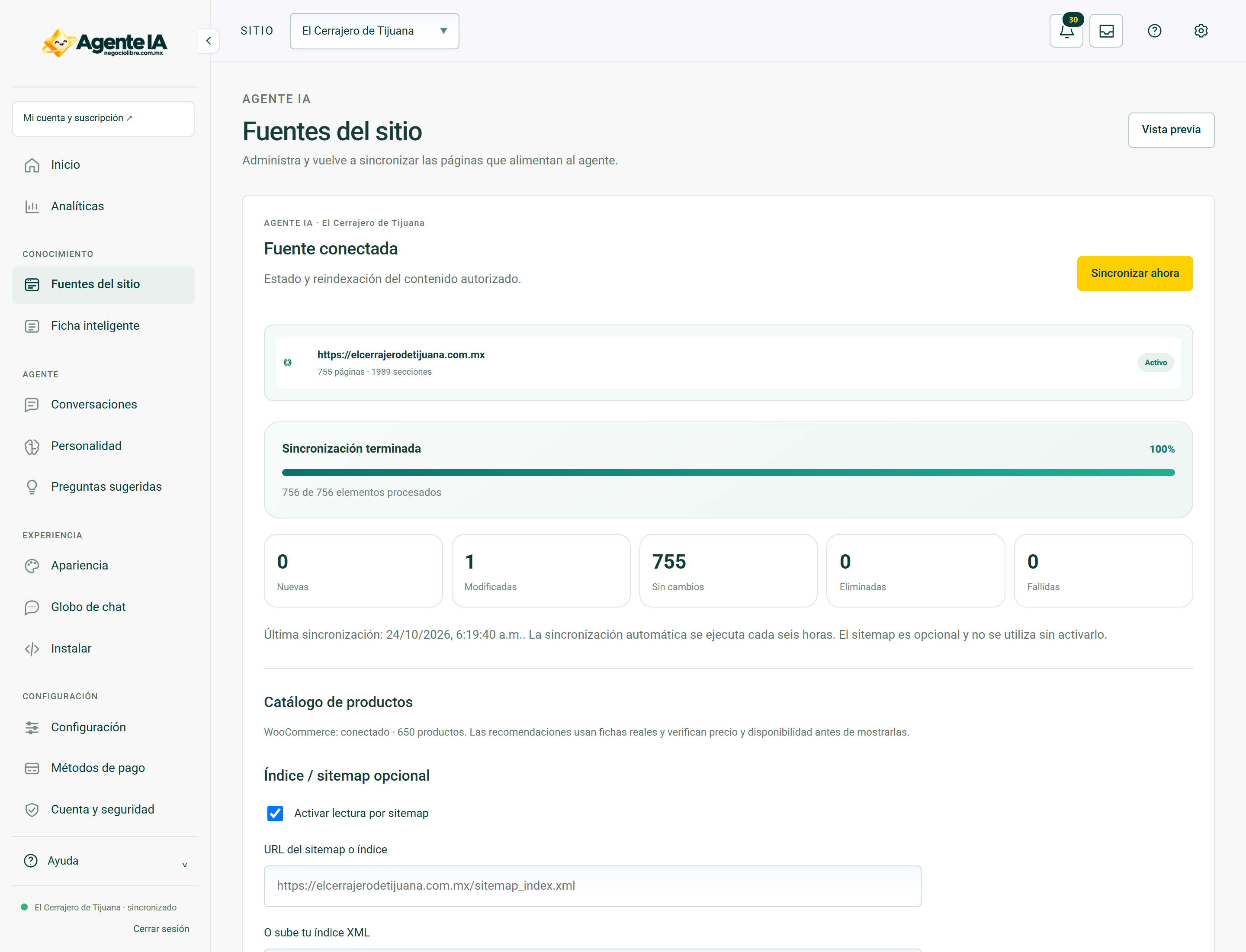
Read about this screen’s controls →
Steps
- Open Site Feeds with the correct site selected.
- Review the domain and authorized origins that the panel displays.
- Check that important pages are public and contain useful text.
- Synchronize and review the number of pages, progress and errors.
Useful sources
Includes services, products, contact, frequently asked questions and current policies. Avoid empty, duplicate pages or pages with expired promotions. An image without text does not guarantee retrievable information.
Private content
Do not use the agent to post customer information or protected areas. An administration access should not be given as a source of knowledge. The data that a visitor must know must be authorized for that purpose.
Check an answer
After syncing, ask for a piece of information you changed and compare it with its source. If it fails, identify the specific page before rewriting the entire personality.
How to verify it worked
The relevant pages appear processed and a sample question is answered with your current data.