
Configure business payment methods
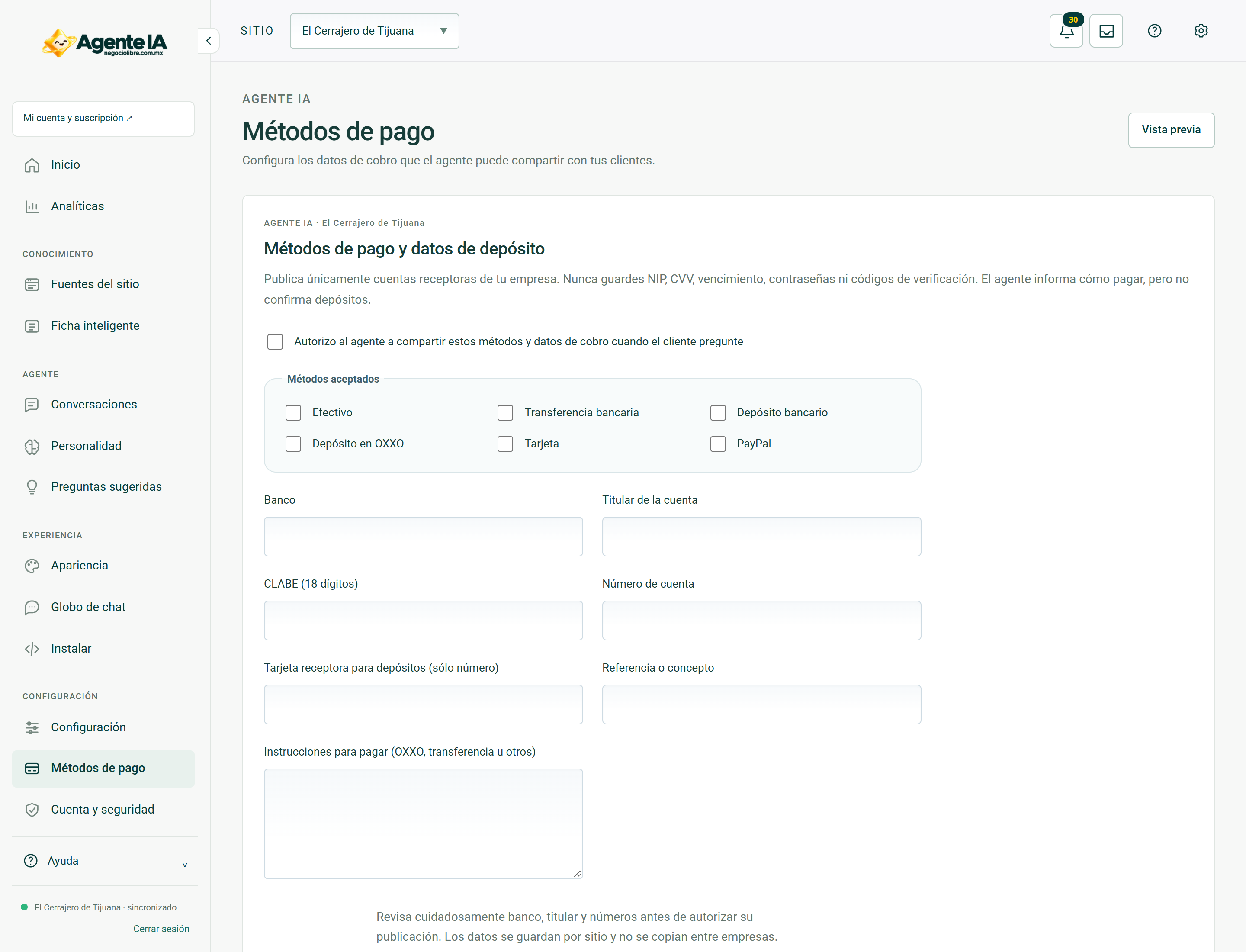
Allows you to explain payment methods based on approved data.
Reviewed October 23, 2026 · Customer guide
Read about this screen’s controls →
Steps
- In the site’s payment settings, register the methods that the company actually accepts.
- For transfers or deposits, enter the authorized destination data: bank, owner and CLABE or account depending on the method.
- Carefully review each digit and save.
- Ask the agent “how can I pay?” and contrast the answer with the approved data.
Data to be published
A configured CLABE or destination card number may be displayed to the visitor if it is part of the approved deposit instructions. Do not enter PIN, CVV, bank passwords, tokens or buyer card details.
OXXO and receipts
Only indicates deposits to OXXO if the method and destination are approved for that account. Not all banks, cards or agreements work the same. The agent can explain configured instructions; it does not itself verify that a deposit was credited.
Two different payments
These are the business methods for your clients. They do not change the method by which the company pays for the Agente IA subscription.
How to verify it worked
The response reproduces approved methods and destinations, without inventing accounts or confirming payments.